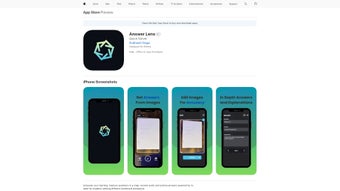

Download Answer Lens – AI‑Powered Academic Assistance Tool
Overview & Core Features – Why Answer Lens Is a Game‑Changer for Students
Answer Lens is a web‑based educational application designed to transform the way students interact with study material. By simply snapping a photo of a textbook page, worksheet, or handwritten notes, the platform leverages cutting‑edge artificial intelligence to generate instant, detailed explanations and step‑by‑step solutions. The core promise of Answer Lens is speed without sacrificing depth: learners receive clear, comprehensive answers in seconds, freeing up valuable study time for deeper understanding and practice.
What truly differentiates Answer Lens from generic OCR or calculator apps is its ability to handle multiple questions at once. The Multi‑Question Handling feature parses each query separately, then returns organized, numbered responses that maintain the context of each problem. This capability is a game‑changer for complex subjects such as physics, chemistry, or advanced mathematics, where a single page often contains a cascade of interconnected problems.
Beyond raw problem‑solving, Answer Lens fosters collaborative learning. Users can share generated solutions via a built‑in sharing link, allowing classmates or tutors to view the same explanation, annotate it, or discuss alternative approaches. The interface is clean, modern, and intentionally ad‑free for paying subscribers, ensuring an uninterrupted study environment. Compatibility spans iPhone, iPad, and iPod touch, and the web version works on any modern browser, making the tool accessible wherever students choose to study. In short, Answer Lens delivers a fast, reliable, and collaborative AI tutor that adapts to the diverse needs of today’s learners.
Answer Lens also places a strong emphasis on data security and privacy. All uploaded images are encrypted during transmission and automatically deleted from the server within seconds after processing. This approach guarantees that personal study material never lingers on external servers, addressing a common concern among students and educators. Moreover, the platform receives regular AI model updates, ensuring that the solution algorithms stay aligned with the latest curriculum standards and exam formats. Whether you are preparing for high‑school finals, college midterms, or standardized tests like the SAT, the continuous improvement cycle keeps Answer Lens relevant and accurate.
- Instant Photo‑Based Answers: Capture a picture of any printed or handwritten question and receive a detailed solution within seconds.
- Multi‑Question Handling: Submit several questions in one image; the AI isolates each query and delivers organized, numbered responses.
- Step‑by‑Step Explanations: Beyond the final answer, the app breaks down the reasoning, formulas, and concepts used.
- Collaborative Sharing: Generate a shareable link that lets peers view, comment, or discuss the solution in real time.
- Ad‑Free Subscription Option: Upgrade for $4.99 / month to remove all ads and enjoy an uninterrupted learning experience.
- Cross‑Platform Compatibility: Native support for iPhone, iPad, iPod touch, plus a responsive web version for Windows, macOS, and Android browsers.
- Secure Data Handling: All uploaded images are encrypted in transit and deleted after processing, ensuring privacy.
- Regular AI Model Updates: The backend engine is continuously refined, guaranteeing up‑to‑date problem‑solving techniques and curriculum alignment.
Installation, Setup, and Real‑World Usage – Getting Started Quickly
Step‑by‑Step Installation
- Visit the official Answer Lens website or the Apple App Store.
- Click “Download” for the web version or “Get” for iOS devices.
- For iOS, the app will appear on your home screen after installation; for the web version, open the URL in any modern browser (Chrome, Safari, Edge, Firefox).
- Launch the app and grant camera access when prompted – this permission is essential for photo‑based query capture.
- Create a free account using your email or social login; this step syncs your history across devices.
First‑Time Configuration
Upon first launch, Answer Lens walks you through a short tutorial that demonstrates how to frame a question, adjust lighting for optimal OCR accuracy, and select the “Multi‑Question” mode. Users can also choose a default language (English, Spanish, French) and set a preferred subscription tier. All settings are stored in the cloud, so switching from an iPhone to a laptop retains your preferences. The onboarding experience also highlights the “Practice Mode,” a feature that hides solutions until you’re ready to test yourself, reinforcing retention.
Practical Usage Tips for Maximum Accuracy
For best results, ensure the photographed text is well‑lit and free of shadows. The built‑in auto‑crop tool will automatically focus on the area containing text, but you can manually adjust the bounding box before submitting. When dealing with multi‑step problems, use the “Highlight” feature to mark the portion of the image you want the AI to prioritize. After receiving the answer, you can tap “Save” to add it to your personal study library, or hit “Share” to generate a URL that can be posted to a class forum or messaging app. The app also offers a “Practice Mode” where you can hide the solution and test yourself, reinforcing the learning cycle.
Compatibility (Operating Systems)
Answer Lens runs on iOS 13 or later (iPhone, iPad, iPod touch) and is fully functional in any modern desktop or mobile browser, including Windows 10/11, macOS 10.15 or later, Android 8.0 or later, and Linux distributions with a recent Chromium‑based browser.
Troubleshooting Common Issues
If the AI returns an incomplete answer, double‑check that the image is clear and that the text isn’t blurred by motion. In low‑light environments, enable your device’s flash or move to a brighter area. Occasionally, the server may experience brief latency spikes; refreshing the page or re‑submitting the image usually resolves the delay. For subscription‑related problems, verify that your payment method is up‑to‑date in the account settings, and contact support through the in‑app chat if you encounter persistent errors.
Pros, Cons, and Frequently Asked Questions – What Users Need to Know
Pros
- Lightning‑fast answer generation saves study time.
- Multi‑question handling streamlines complex worksheets.
- Step‑by‑step explanations reinforce conceptual understanding.
- Ad‑free subscription creates a distraction‑free environment.
- Secure, encrypted image processing protects privacy.
- Cross‑platform availability ensures accessibility on any device.
- Regular AI updates keep solutions aligned with current curricula.
- Collaborative sharing encourages peer‑to‑peer learning.
Cons
- Free tier includes occasional non‑intrusive ads.
- Advanced subject coverage (e.g., graduate‑level calculus) may be limited.
- Requires an internet connection for AI processing.
- Image quality heavily influences OCR accuracy.
- Subscription cost, while modest, may be a barrier for some students.
Frequently Asked Questions
How does Answer Lens handle handwritten notes?
The AI includes a specialized handwriting recognition model that works best with clear, legible script. While printed text yields near‑perfect results, handwritten equations are accurately processed when the writing is neat and the contrast is high.
Is my data stored after I submit a photo?
All images are encrypted during transmission and automatically deleted from the server within 30 seconds after the solution is generated. No personal data is retained beyond the brief processing window.
Can I use Answer Lens offline?
The core AI processing is cloud‑based, so an active internet connection is required. However, saved solutions can be accessed offline within the app’s library.
What subscription plans are available?
Answer Lens offers a monthly ad‑free plan at $4.99, a yearly plan at $49.99 (two months free), and a student discount of 20% with a valid .edu email address.
Does Answer Lens support subjects beyond math and science?
Yes, the AI is trained on a broad curriculum that includes language arts, history, and economics. While the depth of explanations may vary by discipline, most standard high‑school and early‑college topics are covered.
Answer Lens delivers a compelling mix of speed, accuracy, and collaborative features that make it a standout study companion. The multi‑question handling and step‑by‑step breakdowns are especially valuable for STEM students tackling dense problem sets. While the free version contains occasional ads and the AI occasionally struggles with highly specialized graduate material, the modest subscription cost unlocks an ad‑free experience and priority processing. Overall, Answer Lens earns a solid 4.5 out of 5 for its innovative approach to AI‑driven learning.
Final Verdict and Call to Action – Boost Your Grades Today
In the crowded landscape of educational apps, Answer Lens distinguishes itself through a seamless photo‑capture workflow, robust multi‑question handling, and a clean, ad‑free interface for subscribers. Its AI engine provides not just answers but comprehensive explanations, turning a simple solution into a learning moment. The platform’s cross‑device compatibility ensures that whether you’re on a laptop in the library or an iPad on the couch, you have a reliable tutor at your fingertips.
For students seeking a fast, secure, and collaborative study tool, the modest subscription price is a worthwhile investment. The combination of instant results, step‑by‑step breakdowns, and the ability to share solutions with peers creates a powerful ecosystem that supports both independent study and group work. Moreover, the commitment to privacy and continuous AI improvements gives confidence that the app will remain relevant throughout your academic journey.
Ready to boost your grades and streamline your study sessions? Download Answer Lens now and experience AI‑powered academic assistance that works as hard as you do. Start with the free tier to test the core features, then upgrade to the ad‑free plan for uninterrupted focus and priority processing. Your smarter, faster study companion is just a click away.



.png)



